AI in my practice
Building my own tools.
I used AI to help write the code for six tools I wanted at work. In two of them, AI is also part of the tool: Trace summarises the reasoning behind decisions, and Help Page Creator drafts help text from a walkthrough.
For some, I wanted to avoid another subscription. Others needed to work with our ticket format or keep data on the user's computer. I decided what each tool should do, used AI to help write the code, and worked through the details as I built it.
Ticket Submitter
 TypeScript
 HTML
HTML CSS
CSS Chrome MV3
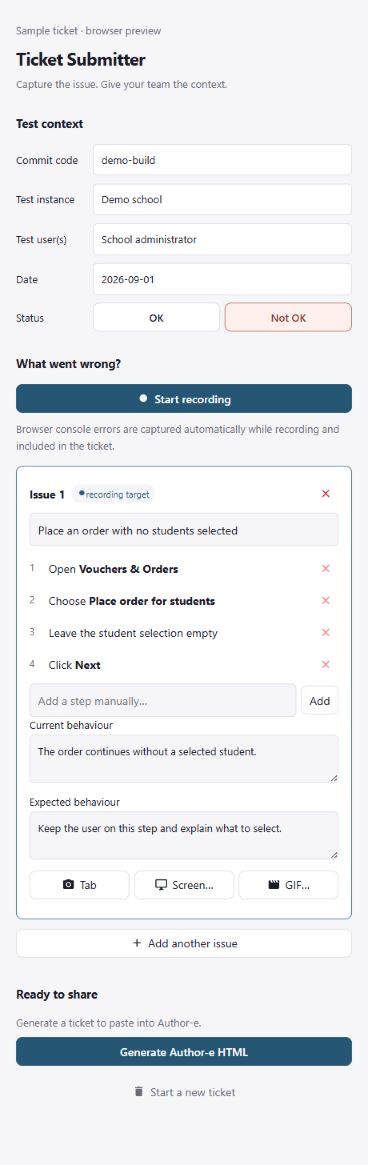
Seeing a bug is often easier than explaining how to reproduce it. I wanted anyone testing our product to be able to send a useful report, without having to know what to collect from the browser.
Ticket Submitter sits beside the application and records the steps. While recording, it automatically captures browser console errors and attaches them to the active issue. The reporter can add screenshots or a short GIF and explain what they expected to happen. It then creates a report in our existing Author-e format, ready to copy into the ticket editor.
That format was a reason to build it ourselves. We could include the build, test instance, test user, date and test status developers need, while keeping the captured information local until the reporter shares it.
I also worked on keeping the steps readable. A click followed by a page change becomes one step. Clicks with no useful label are left out.
Reviewed by the reporter before sharing.
HTML → Figma
- TypeScript
- HTML
- CSS
 Figma Plugin API
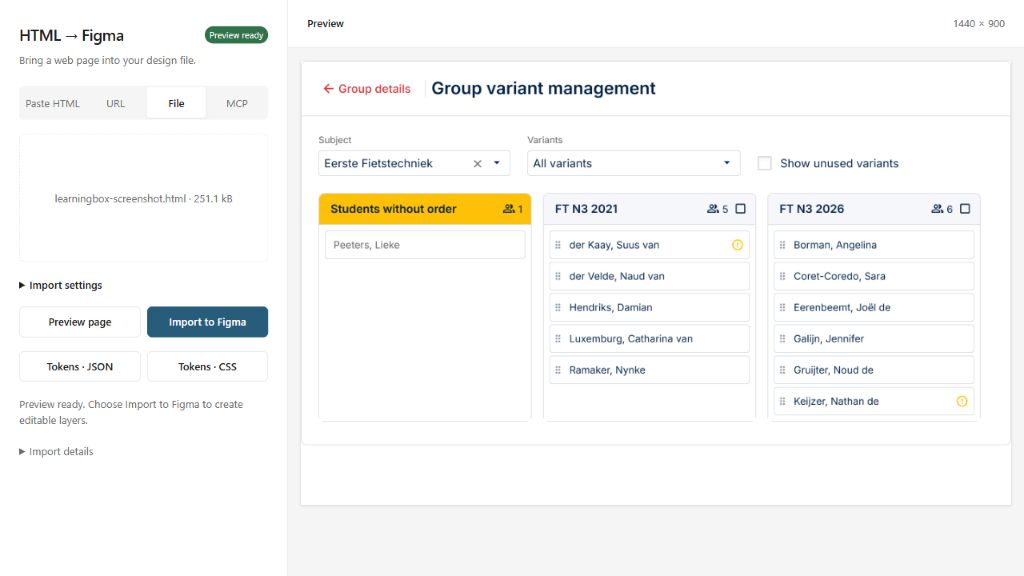
I tried an HTML-to-Figma tool, but it required a monthly subscription fee. I wanted to bring my coded prototypes back into Figma for editing, so I tried building an importer myself.
Getting the page into Figma was only part of it. The layers also needed to be usable. I worked on preserving the layout, bringing across design tokens and removing unnecessary wrappers.
Auto layout could change where things ended up. I added a check against the original positions: if the inferred layout moved things too far, the importer kept them in fixed positions.
Time Tracker
 C#
C# .NET
.NET Windows Forms
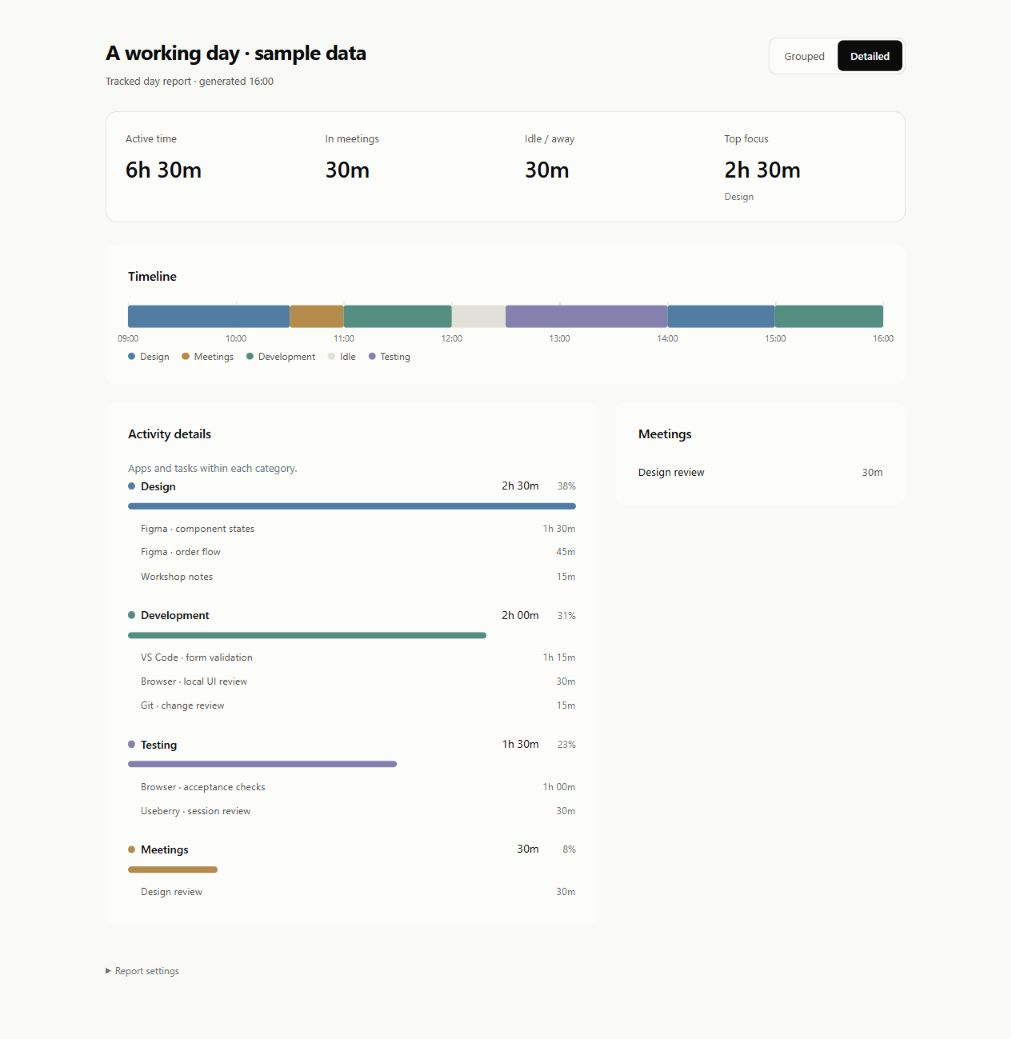
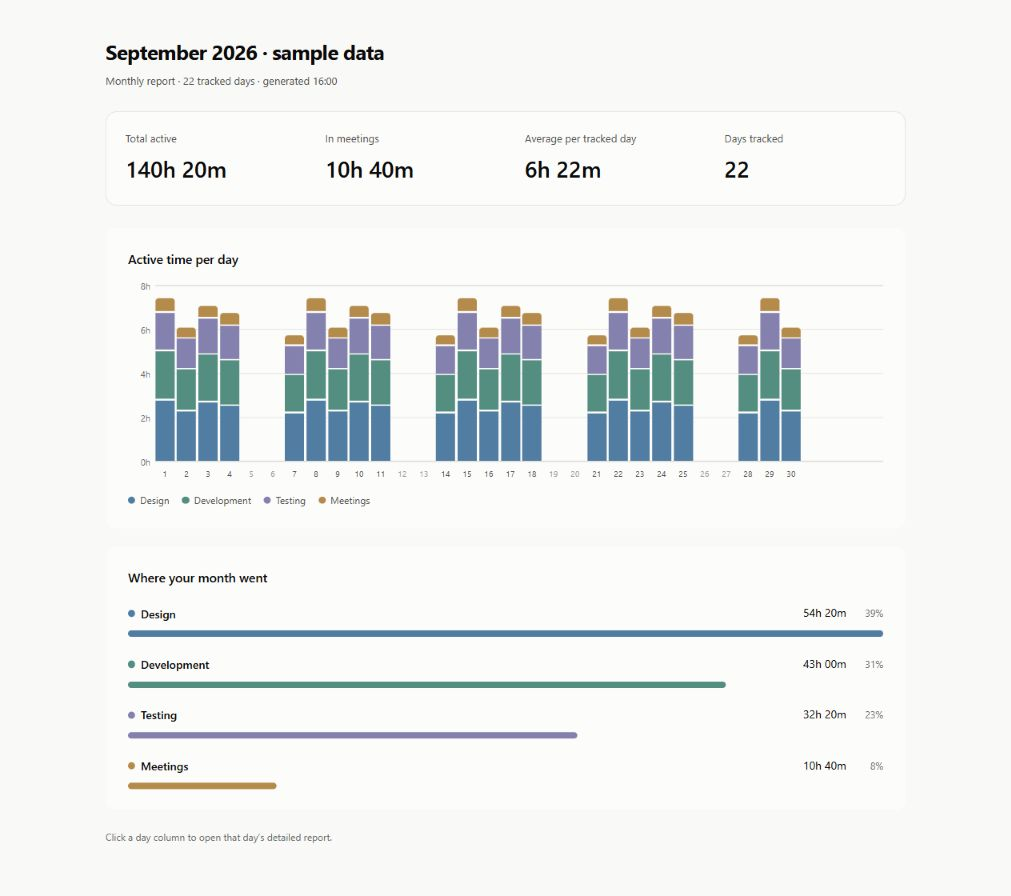
We wanted to see where our working time went without sending activity logs to an external service. Those logs can include page titles, URLs and meeting details.
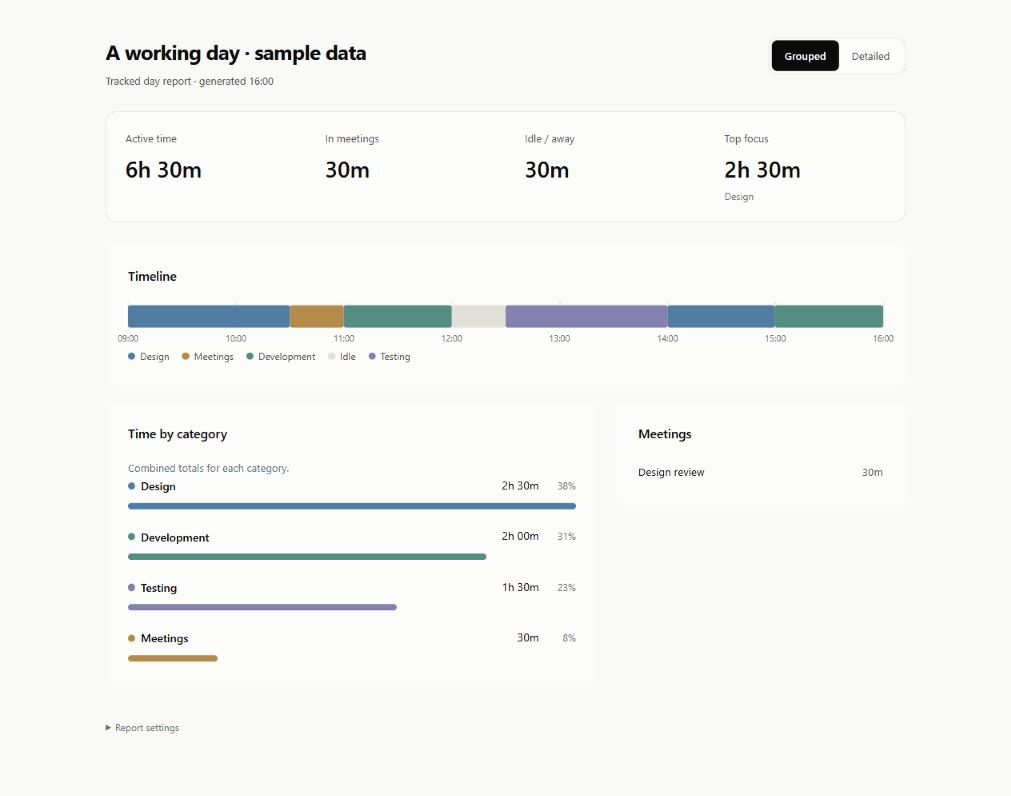
I built a Windows tracker that keeps its database and reports on the user's computer. Users can pause recording and choose what to share. An “End day” action opens the report and pauses tracking until the next morning.
I tailored the report around project time, meetings and a timeline of the day. The grouping rules can change without rewriting the original records, so past work can be regrouped later.
Mockup Studio
- TypeScript
- HTML
- CSS
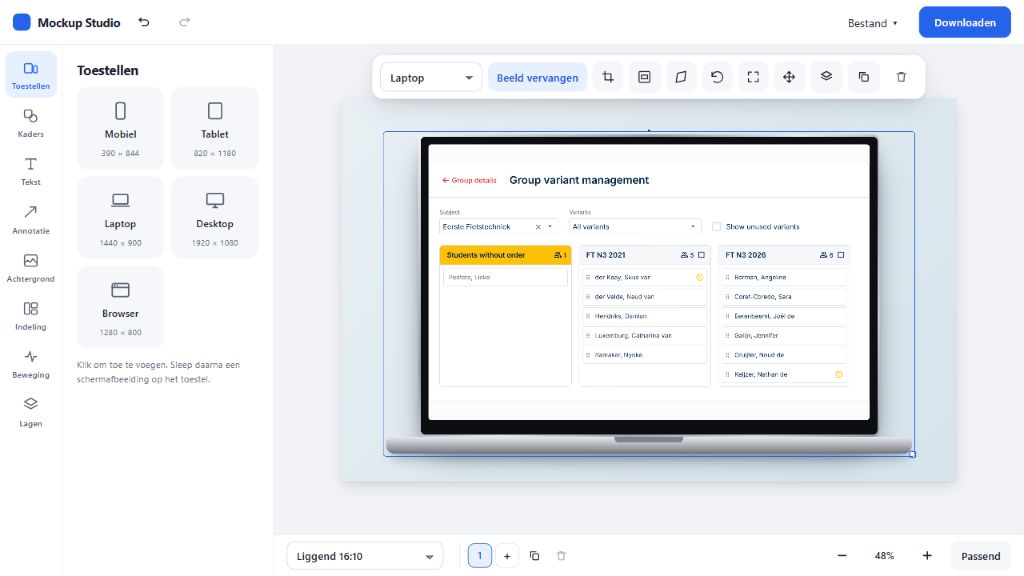
I kept doing the same work for portfolio visuals: put a screen in a device frame, adjust the background and add annotations. I wanted to save that setup without another subscription.
Mockup Studio lets me arrange the devices, change their angle and export the image. I can keep several canvases in one project and come back to them later. The product screens shown here are loaded into the tool itself.
Trace
 React
React- TypeScript
A decision can be easy to find while the reason behind it is buried in a discussion.
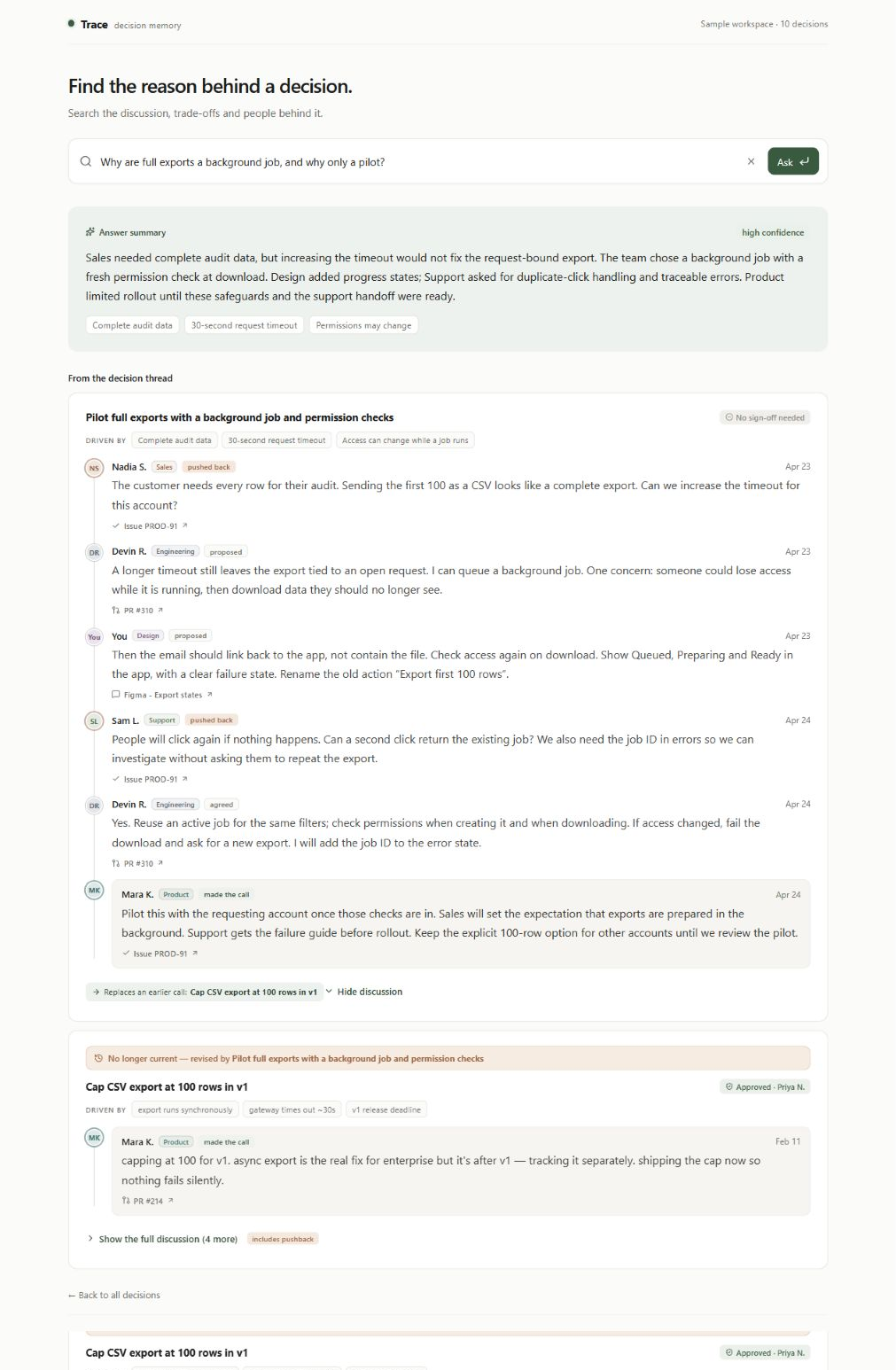
Trace uses AI to help retrieve that reasoning. I wanted to see who disagreed, what led to the final call and whether a newer decision had replaced it.
I kept the original discussion below the AI summary so the reader can check it. A weak match gets a less prominent answer and a prompt to read the source. I'm using sample decision threads to work through these states; the quality of the retrieval still needs testing.
Sample scenario · Sales, Engineering, Design, Support and Product weigh a full export against timeouts and access controls. The people and discussion shown are fictional.
Help Page Creator
- TypeScript
- HTML
- CSS
I was already making walkthroughs to explain the product. Turning the same flow into a help article meant writing the instructions again.
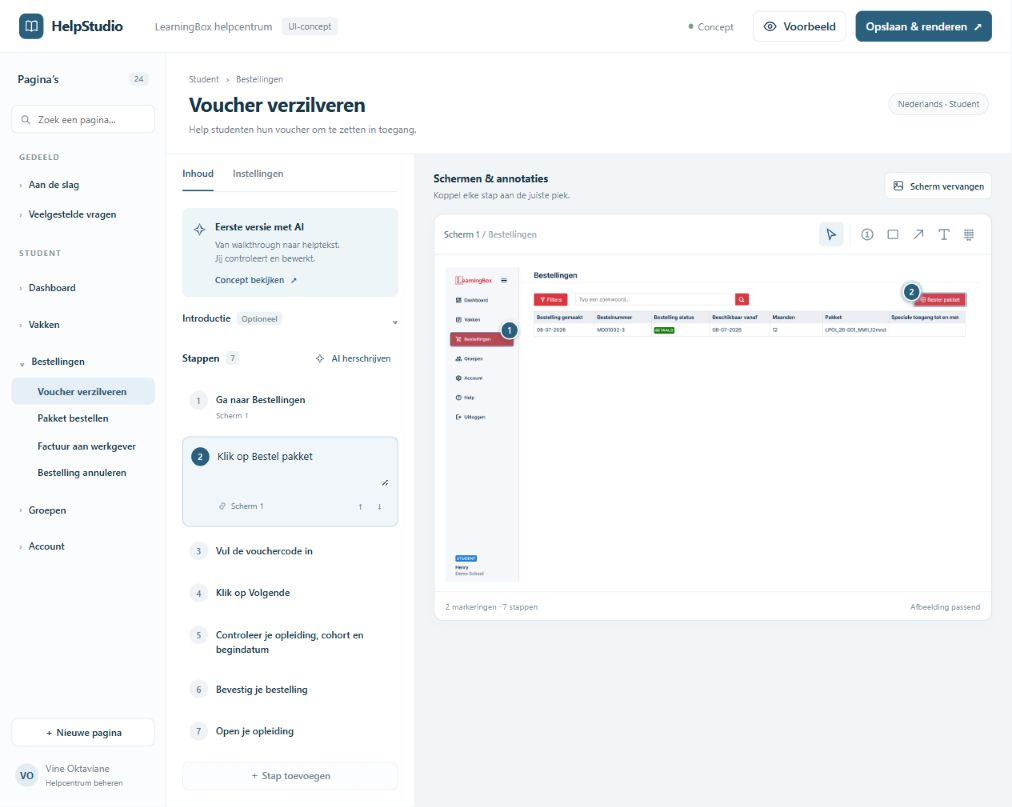
Help Page Creator uses AI to draft that text from the walkthrough. The system administrator checks the steps against the product, edits the wording and places the screenshot annotations before publishing.
I built it around our existing help pages so the draft can be edited and rendered in one place. AI produces the first version; the administrator decides what is ready to publish.
- 01Walk through the product
- 02AI drafts the instructions
- 03Administrator reviews & publishes
A design system AI can follow
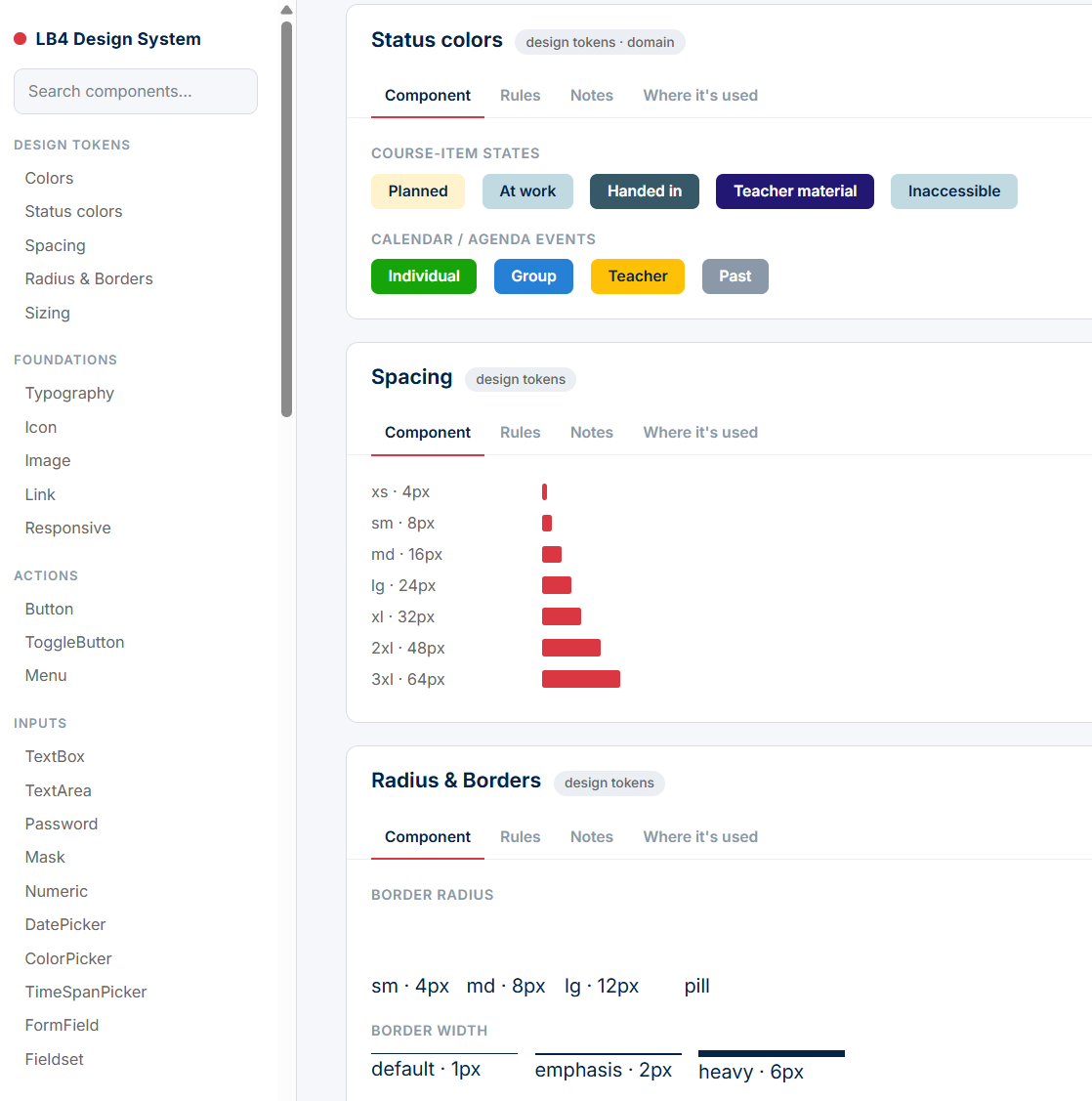
I also work on the LearningBox design system, including rules that AI can follow when helping build an interface. Components sit alongside their design tokens, usage rules and notes, so the guidance is part of the system.
That gives AI something specific to work from: which component to use, what a status colour means, and which spacing and border values belong in the product. The aim is to spend less time correcting basic inconsistencies and more time on the interaction itself.