Smart Shopper
Compare groceries without knowing every Dutch product name.
Usefulness
Post-launch survey · 45 users
Usability-test ratings
Two rounds · five participants each
The problem
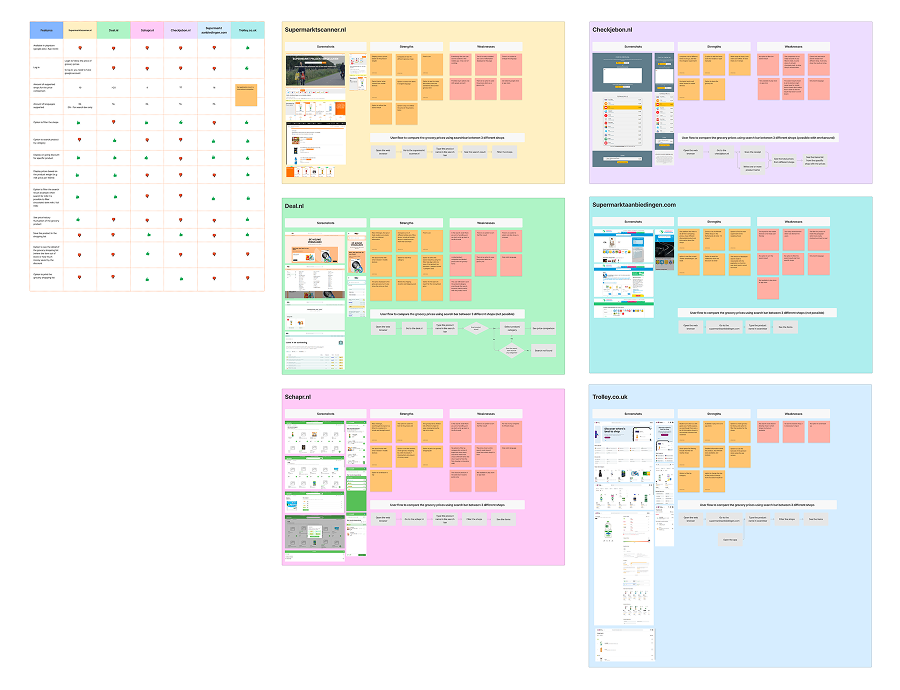
I interviewed ten newly arrived expats and reviewed six grocery comparison services. Participants were translating product names, checking prices across supermarket websites and writing a new list each week.
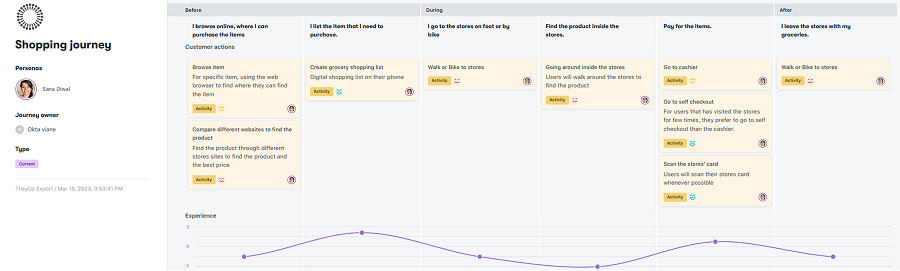
The journey map showed another difficulty: finding the product once they reached the store. Comparing prices helped with planning, but shoppers still needed to recognise the Dutch name on the shelf.
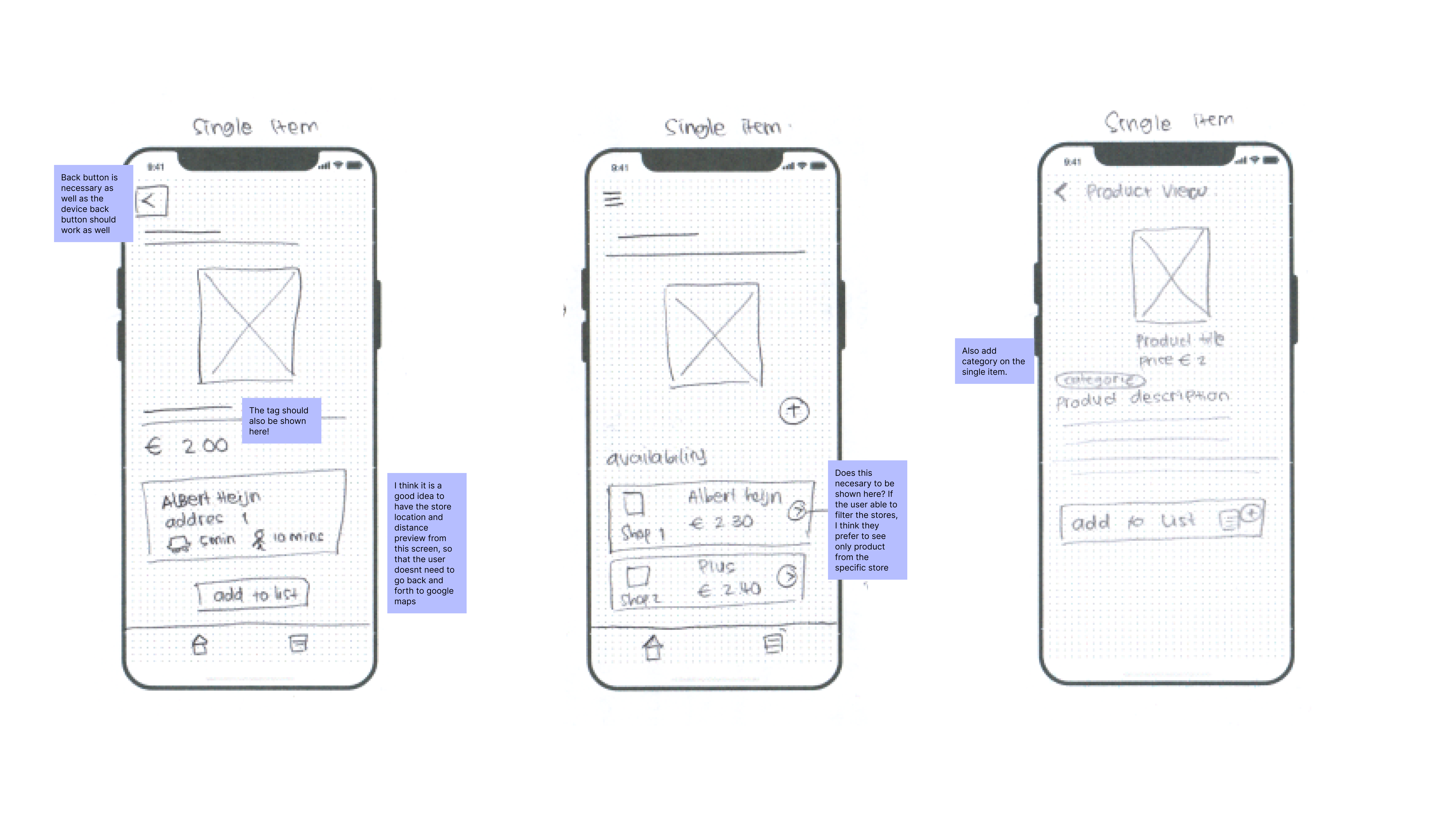
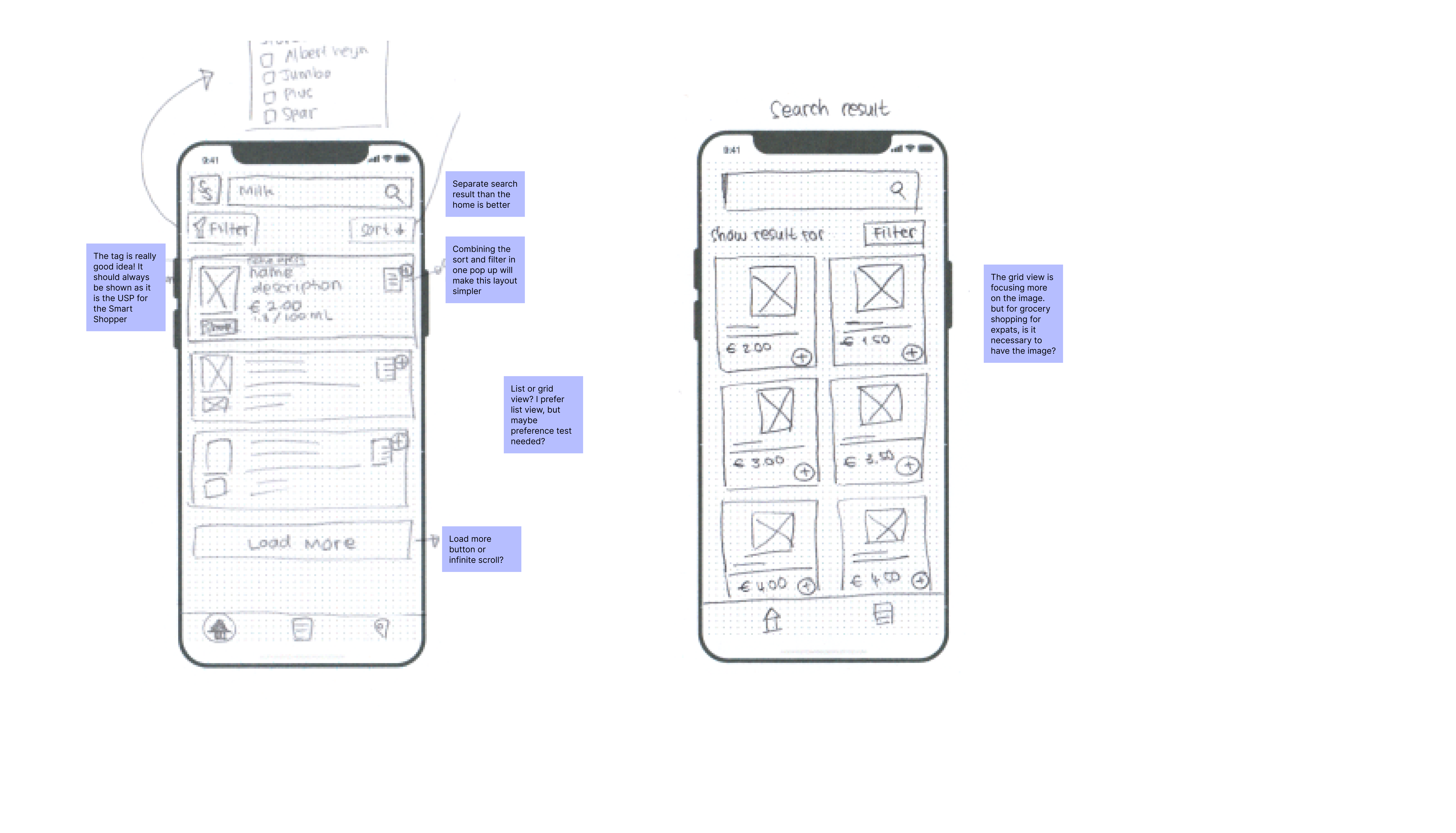
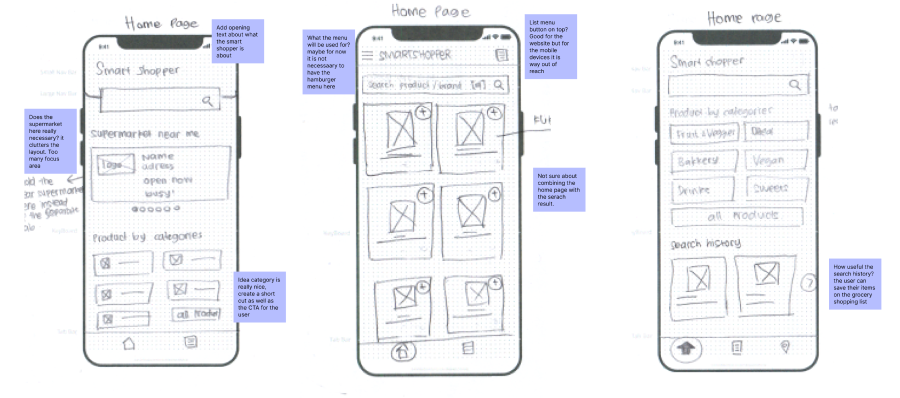
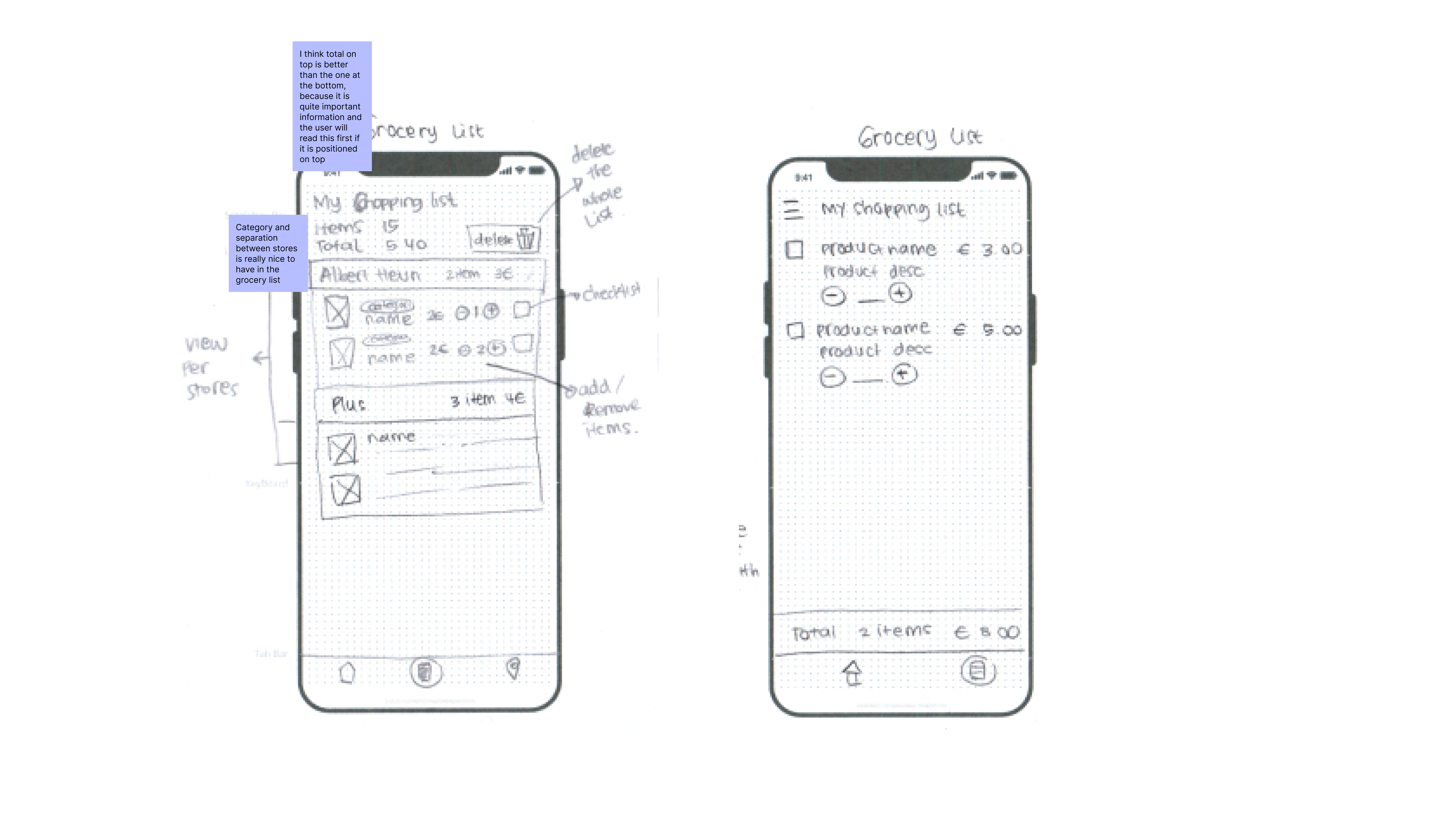
Four rounds of sketches
I kept the first four iterations as sketches while my colleague was building the Shopping Scraper API. The data structure was still changing, so I waited before moving to detailed screens in Figma. I then built the front end in Ionic Angular and Bootstrap. These features shipped; the Pantry idea below did not.
From search to shopping list
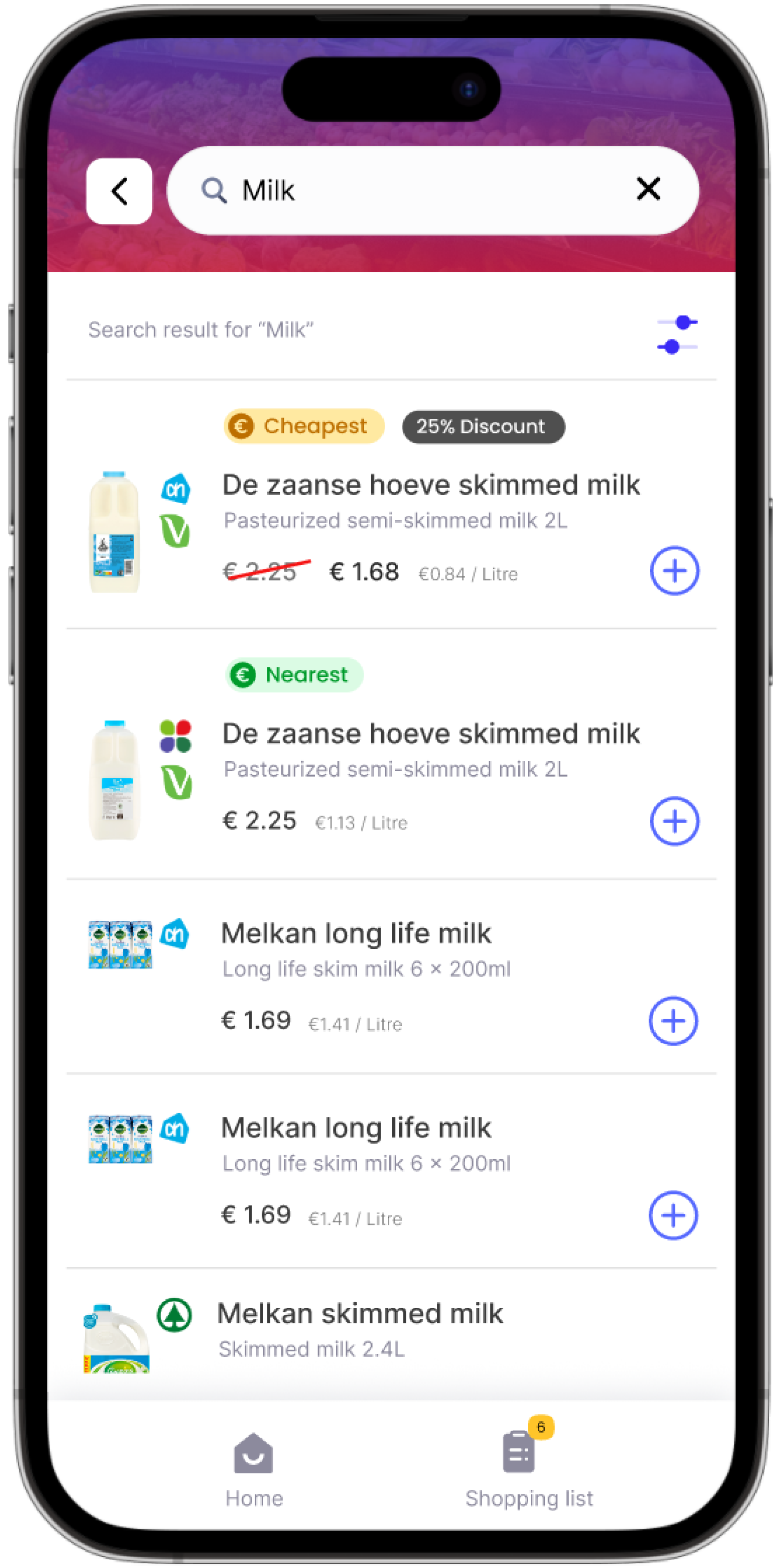
Keep both product names visible
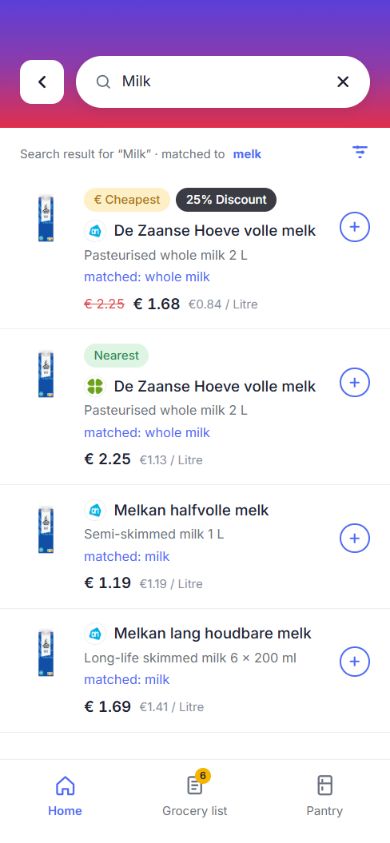
An English search for “milk” returns Dutch product names such as “volle melk,” with an English description. The Dutch name stays on the shopping list so shoppers can look for it in-store.
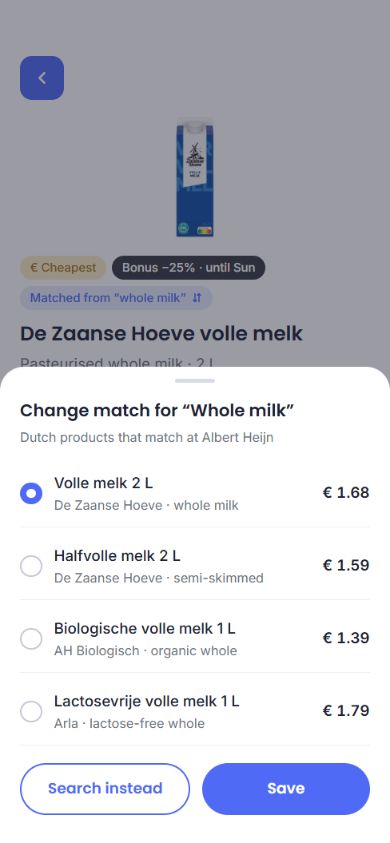
Give wrong matches a place to be corrected
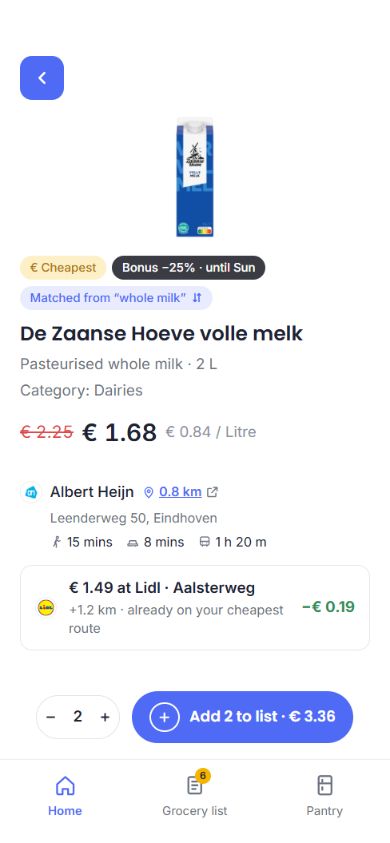
I put “Matched from” on the product detail page. It opens alternative products and prices. This kept a correction button off every list row without removing the option to change a match.
Compare the whole list
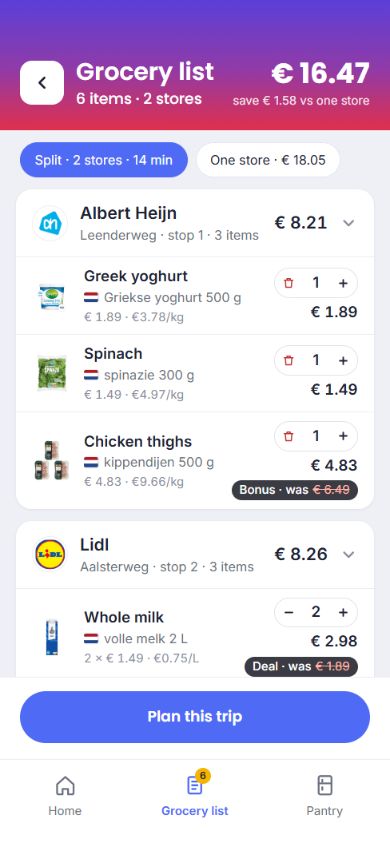
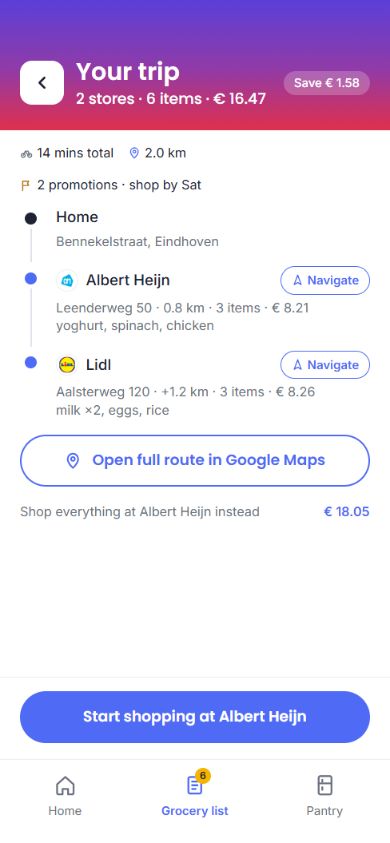
The list shows the cost of splitting groceries across stores alongside buying everything at one store. Shoppers can decide whether the saving is worth another stop, then open the route in Google Maps.
Filters cover unit price and distance. Product details include ingredients and allergens, while equivalents offer alternatives when a selected store has no match.
Testing
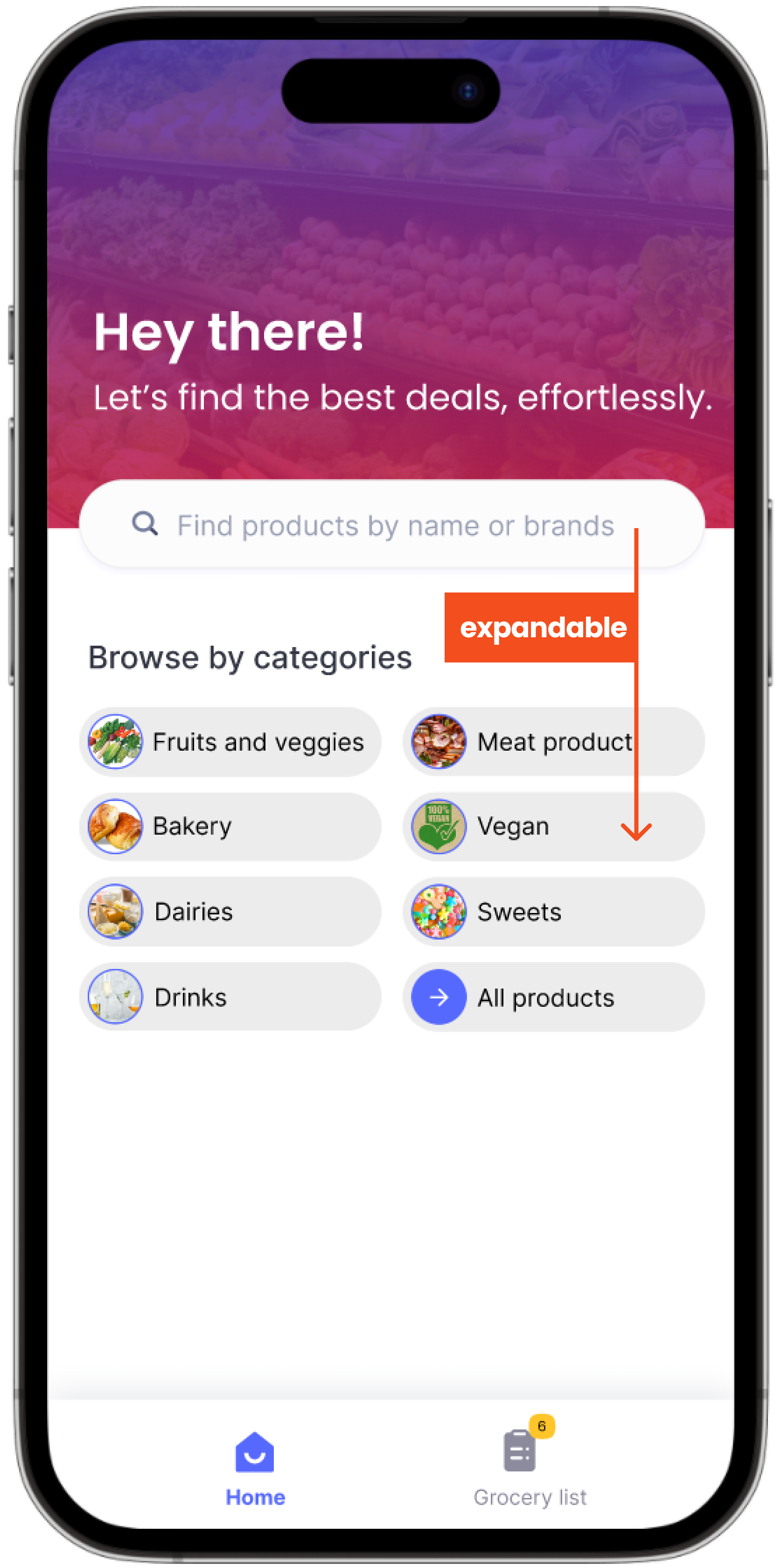
I ran two rounds with five participants each. Testers described using grocery apps one-handed on the bus, but the search field was too small. I enlarged it, moved it within thumb reach and added labels to the navigation icons.
The second round found wording issues, which I corrected before launch. An external designer then mistook the add-to-list icon for a paste button. I simplified the icon and enlarged its tap area.
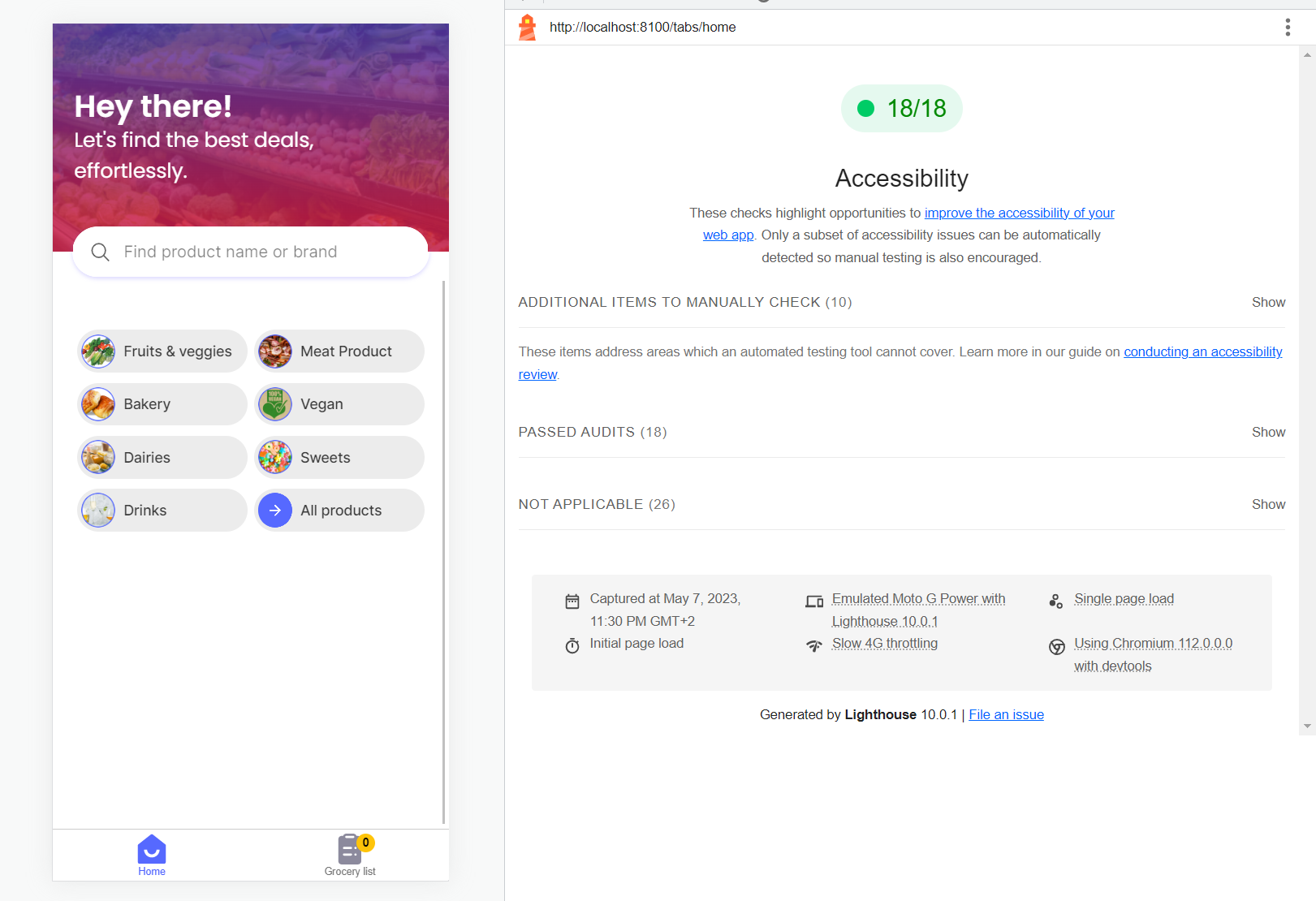
The saved Lighthouse report records 18 passed automated accessibility checks on the home page.
The part we didn’t build
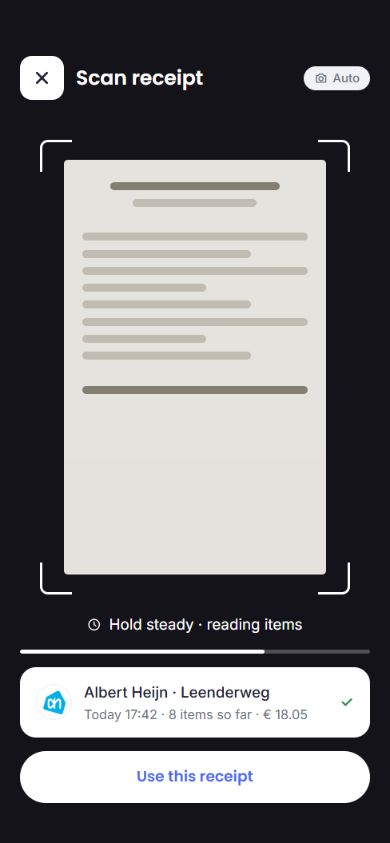
Shoppers still had to remember what belonged on next week's list. I explored a Pantry feature: scan a receipt, check the recognised items and use past purchases to suggest the next list. I also prototyped a fridge connection. Neither was built.
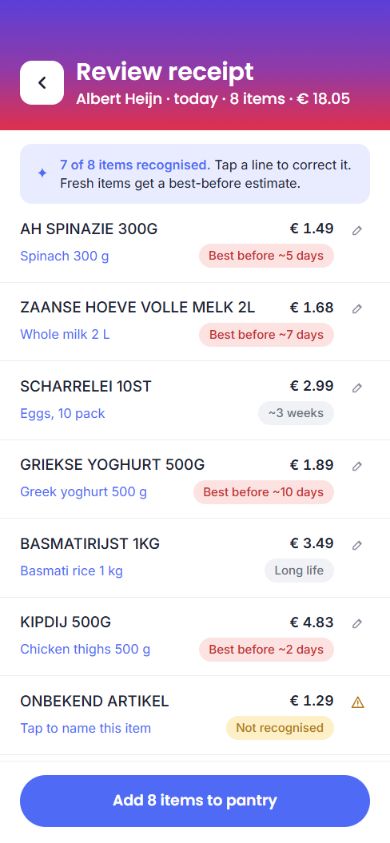
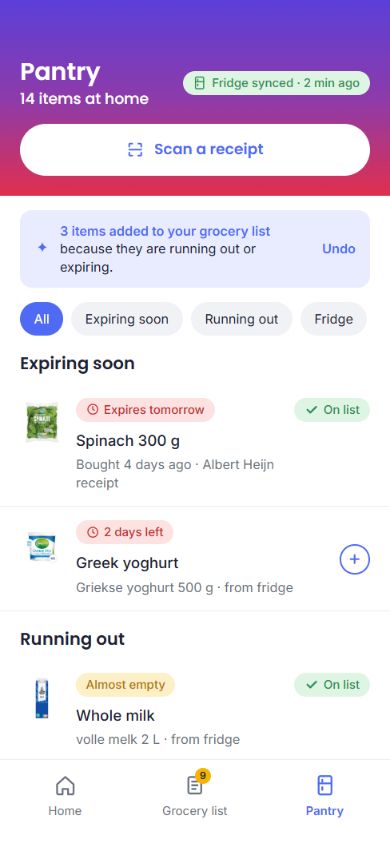
A receipt tells us what someone bought, but not what is left. Before building Pantry, I would test how much correcting its suggestions adds to the task. If that takes longer than writing a list, it hasn't helped.